
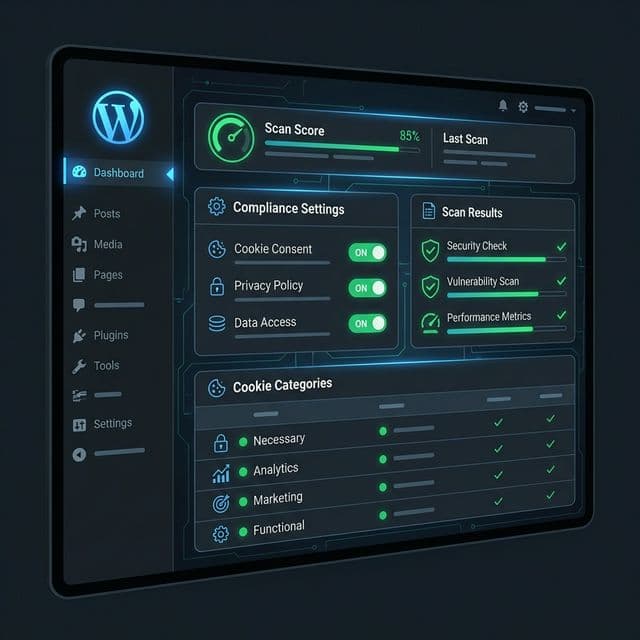
You installed a cookie consent plugin, activated it, and assumed your WordPress site was compliant. Months later, a scan reveals 14 pre-consent cookies firing from plugins you barely remember installing. Your contact form plugin loads reCAPTCHA on every page. Your slider plugin embeds YouTube iframes that set tracking cookies. Your theme's social sharing buttons phone home to Facebook before any visitor clicks "Accept."
WordPress powers over 40% of the web, and its plugin ecosystem is both its greatest strength and its biggest compliance liability. Every plugin, theme, and integration can introduce cookies and tracking scripts that operate outside your Consent Management Platform's (CMP) control. Understanding where these cookies come from -- and how to manage them -- is essential for any WordPress site owner subject to GDPR.
Why WordPress Cookie Compliance Is Uniquely Challenging
The Plugin Problem
A typical WordPress business site runs 20-40 active plugins. Each plugin can:
- Set its own cookies (first-party or third-party)
- Load external scripts that set additional cookies
- Inject tracking pixels, fonts, or analytics code
- Bypass your CMP entirely by loading in the
wp_headorwp_footerhooks
Unlike custom-built applications where developers control every script, WordPress site owners often have limited visibility into what their plugins do at the network level.
The Theme Factor
WordPress themes, especially premium themes and page builders, frequently include:
- Google Fonts loaded from Google's CDN (sets cookies, transfers IP to Google)
- Embedded social media scripts (Facebook, Twitter, Instagram feeds)
- Analytics or performance scripts baked into the theme
- Video embeds that load third-party cookies on page render
When these are hard-coded into the theme rather than loaded via a tag manager, your CMP often cannot block them.
WordPress Admin Cookies
WordPress itself sets several cookies for authenticated users:
wordpress_logged_in_*-- Authentication cookiewordpress_sec_*-- Secure authentication cookiewp-settings-*-- User preferenceswordpress_test_cookie-- Tests if cookies are enabled
These are generally classified as "strictly necessary" for site functionality and do not require consent. However, they should still be disclosed in your cookie policy.
Common WordPress Cookie Sources
Core WordPress
| Cookie | Purpose | Consent Required |
|---|---|---|
wordpress_logged_in_* |
User authentication | No (strictly necessary) |
wordpress_sec_* |
Secure authentication | No (strictly necessary) |
wp-settings-* |
User interface preferences | No (strictly necessary for admin) |
wordpress_test_cookie |
Cookie support test | No (strictly necessary) |
comment_author_* |
Comment form data | Debatable (functional, consent recommended) |
Popular Plugins and Their Cookies
Analytics plugins:
- MonsterInsights / Site Kit: Load Google Analytics scripts that set
_ga,_gid,_gatcookies. These require consent. - Jetpack: Sets multiple cookies for stats, comments, and sharing.
tk_*cookies are analytics cookies requiring consent. - Matomo/WP Statistics: Depending on configuration, may set first-party analytics cookies. Consent still required under GDPR.
Contact form plugins:
- Contact Form 7 + reCAPTCHA: Google reCAPTCHA loads scripts from google.com and sets cookies including
_GRECAPTCHAand potentiallyNID. These fire on every page the reCAPTCHA script is loaded -- not just the contact page. - WPForms / Gravity Forms: May load Stripe, PayPal, or reCAPTCHA scripts that set their own cookies.
Social media plugins:
- Social sharing buttons: Many implementations load Facebook SDK, Twitter widgets, and LinkedIn scripts that set tracking cookies before any visitor interaction.
- Instagram/Facebook feed plugins: Embed iframes that set Meta tracking cookies.
- Comments via Facebook/Disqus: Replace WordPress comments with third-party systems that track users.
Marketing and CRM plugins:
- HubSpot: Sets
__hs*andhubspotutktracking cookies immediately on page load. - Mailchimp for WordPress: May load Mailchimp tracking scripts.
- WooCommerce + Google Ads: Conversion tracking cookies fire on page load.
Performance and caching plugins:
- Cloudflare: Sets
__cf_bmandcf_clearancecookies. These are generally "strictly necessary" for security/bot detection. - WP Rocket / LiteSpeed Cache: Typically set functional cookies for caching. Usually strictly necessary.
Video and media:
- YouTube embeds: Standard YouTube iframes set cookies including
VISITOR_INFO1_LIVE,YSC, andGPS. Useyoutube-nocookie.comembeds or a consent-gated facade. - Vimeo embeds: Set
vuidand other tracking cookies.
CMP Plugin Comparison for WordPress
Several WordPress plugins provide cookie consent management. Here is how the most popular options compare:
CookieYes (GDPR Cookie Consent)
Strengths:
- Auto-scanning identifies cookies on your site
- Script blocking with category-based consent
- Google Consent Mode v2 integration
- Supports geo-targeted banners (different behaviour for EU, US, etc.)
- Free tier available for small sites
Limitations:
- Auto-scanning may miss dynamically loaded cookies
- Script blocking relies on pattern matching that some plugins bypass
- Advanced features (geo-targeting, A/B testing banners) require paid plans
Best for: Small to medium WordPress sites with standard plugin stacks.
Complianz (GDPR/CCPA Cookie Consent)
Strengths:
- Wizard-based setup simplifies configuration
- Automatic script blocking for known services (Google Analytics, Facebook, YouTube)
- Generates cookie policy and privacy policy documents
- Supports both GDPR and CCPA consent flows
- Integrates with major caching plugins
Limitations:
- Can conflict with some page builders and theme customizers
- Script blocking may not catch all plugin-injected scripts
- Cookie scan is a one-time snapshot, not continuous monitoring
Best for: Sites that need both GDPR and CCPA support with minimal technical setup.
Cookie Notice & Compliance (by Flavors)
Strengths:
- Lightweight and fast-loading
- Simple consent banner with accept/reject
- Compatible with Google Consent Mode
- Free version covers basic requirements
Limitations:
- Less granular script blocking than competitors
- No auto-scanning of cookies
- Limited customisation for consent categories
- Does not block scripts by default -- requires manual configuration
Best for: Simple sites with few third-party integrations where performance is a priority.
CookieBot (by Usercentrics)
Strengths:
- Enterprise-grade scanning and categorisation
- Automatic monthly rescanning of cookies
- IAB TCF 2.2 compliance for advertising
- Extensive third-party cookie database
- Google-certified CMP
Limitations:
- Free tier limited to 1 domain with under 100 subpages
- Can add significant page weight
- Configuration requires understanding of cookie categories
- Pricing scales with domain count and page volume
Best for: Larger sites, publishers, and businesses running advertising technology.
Which CMP Plugin Should You Choose?
| Factor | CookieYes | Complianz | Cookie Notice | CookieBot |
|---|---|---|---|---|
| Ease of setup | Good | Excellent | Simple | Moderate |
| Script blocking | Good | Good | Basic | Excellent |
| Cookie scanning | Included | Included | Manual | Included (automatic) |
| CCPA support | Paid | Included | Limited | Included |
| Google Consent Mode v2 | Yes | Yes | Yes | Yes |
| Performance impact | Low-moderate | Moderate | Low | Moderate-high |
| Free tier | Yes | Yes | Yes | Limited |
| Price (paid) | From USD 89/yr | From EUR 45/yr | From USD 49/yr | From EUR 12/mo |
No matter which CMP plugin you choose, remember: a CMP is only as good as its configuration. A misconfigured CMP gives you a false sense of compliance while cookies continue to fire before consent. That is why independent scanning is essential alongside your CMP.
Plugin Conflicts With Consent
One of the most frustrating aspects of WordPress cookie compliance is plugin conflicts. Here are the most common patterns:
Scripts Loaded Outside the CMP's Control
Many plugins inject scripts directly via WordPress hooks (wp_head, wp_footer, wp_enqueue_scripts) rather than through a tag manager. Because these scripts are hard-coded into the PHP output, your CMP's JavaScript-based blocking cannot intercept them before they execute.
Common offenders:
- reCAPTCHA scripts loaded by form plugins
- Font Awesome loaded from CDN by icon plugins
- Google Maps embedded by location/map plugins
- Analytics scripts injected by SEO plugins
Solutions:
- Use a CMP that supports server-side script blocking (Complianz and CookieBot offer this for some scripts)
- Dequeue the scripts in your theme's
functions.phpand reload them only after consent - Switch to plugins that offer consent-aware loading (check plugin settings for a "load only when needed" option)
Caching Plugin Conflicts
Caching plugins can interfere with cookie consent in several ways:
- Page caching: A cached page may serve the same HTML to all users, including the same JavaScript consent state
- CSS/JS optimisation: Minification and concatenation can break CMP script blocking if the CMP relies on script URL patterns
- CDN caching: Content served from a CDN may not reflect real-time consent changes
Solutions:
- Exclude CMP cookies from caching rules
- Exclude CMP JavaScript files from minification/concatenation
- Use a CMP that is compatible with your caching plugin (check compatibility lists)
- Test consent flow on cached pages
Page Builder Conflicts
Page builders like Elementor, Divi, and WPBakery sometimes embed third-party content directly:
- YouTube/Vimeo embeds in page builder widgets
- Google Maps widgets
- Social media feed widgets
- Custom HTML widgets with tracking scripts
These elements load within the page builder's rendering pipeline, which may execute before your CMP can block them.
Solutions:
- Use "privacy-enhanced" embed modes (e.g.,
youtube-nocookie.com) - Replace direct embeds with consent-gated placeholders (some CMP plugins support this)
- Load third-party widgets via shortcodes that check consent state
WooCommerce Cookie Considerations
WooCommerce adds its own layer of cookie complexity to WordPress sites:
WooCommerce Core Cookies
| Cookie | Purpose | Consent Required |
|---|---|---|
woocommerce_cart_hash |
Cart contents hash | No (strictly necessary) |
woocommerce_items_in_cart |
Cart state indicator | No (strictly necessary) |
wp_woocommerce_session_* |
Session data | No (strictly necessary) |
woocommerce_recently_viewed |
Recently viewed products | Yes (functional/analytics) |
WooCommerce Extension Cookies
Common WooCommerce extensions introduce additional cookies:
- WooCommerce Google Analytics Integration: Loads GA scripts with e-commerce tracking
- Facebook for WooCommerce: Injects Facebook Pixel for conversion tracking
- Stripe/PayPal payment gateways: May set cookies for fraud prevention (generally strictly necessary)
- Product recommendation engines: Set cookies to track browsing behaviour
Conversion Tracking
Most WooCommerce stores rely on conversion tracking for advertising ROI measurement. This creates a direct conflict:
- Google Ads conversion tracking fires a cookie on the "thank you" page
- Facebook Conversion API may supplement pixel tracking with server-side events
- Affiliate tracking plugins set cookies to attribute sales
All of these require consent under GDPR. The challenge is that blocking conversion tracking also blocks your ability to optimise advertising spend.
Solutions:
- Implement Google Consent Mode v2, which provides modelled conversions when cookies are blocked
- Use server-side conversion APIs (Facebook CAPI, Google Ads enhanced conversions) with proper consent handling
- Accept that some conversion data will be lost from users who decline consent
How to Audit Your WordPress Site for Cookie Compliance
Step 1: Inventory Your Plugins
List every active plugin and research which ones set cookies or load external scripts. Check each plugin's documentation or settings for privacy/GDPR options.
Step 2: Check Your Theme
Review your theme's code or documentation for:
- Hard-coded Google Fonts loading
- Built-in analytics or tracking
- Social media script embedding
- External resource loading
Step 3: Run an Automated Scan
Manual auditing only catches what you know to look for. An automated scanner visits your site in a clean browser session and captures every cookie and network request before consent -- including ones set by plugins you did not know were tracking.
Follow a systematic audit approach to ensure nothing is missed.
Step 4: Review Scan Results Against Your CMP Configuration
Compare the pre-consent cookies found by the scanner against what your CMP claims to block. Common findings include:
- Scripts your CMP does not know about
- Cookies set by plugins that bypass JavaScript-based blocking
- Third-party cookies from embeds rendered by your theme or page builder
Step 5: Check the Most Common WordPress Violations
Review your site against the most frequently detected pre-consent violations. WordPress sites are particularly prone to:
- Google Analytics loading before consent (via MonsterInsights, Site Kit, or theme code)
- reCAPTCHA scripts loading on all pages
- YouTube embeds setting cookies on page render
- Social sharing buttons loading third-party SDKs
- HubSpot or Mailchimp tracking scripts firing immediately
Step 6: Fix, Rescan, Repeat
After fixing identified issues:
- Clear all caching layers (page cache, CDN, browser cache)
- Run another scan to verify fixes
- Test on multiple pages (homepage, blog posts, product pages, contact page)
- Schedule ongoing scans to catch new violations from plugin updates
WordPress Cookie Compliance Checklist
CMP Setup
- CMP plugin installed and activated
- Consent banner appears before any non-essential cookies fire
- Banner has equally prominent accept and reject buttons
- Granular consent categories configured (necessary, functional, analytics, marketing)
- Consent withdrawal accessible from every page (e.g., footer link)
- Google Consent Mode v2 configured if using Google tags
Plugin Audit
- All active plugins inventoried for cookie behaviour
- Analytics plugins consent-gated (MonsterInsights, Jetpack, etc.)
- Form plugins reviewed for reCAPTCHA cookie loading
- Social sharing plugins configured for privacy-friendly mode or consent-gated
- Marketing plugins (HubSpot, Mailchimp) consent-gated
- Video embeds using privacy-enhanced mode or consent facades
Theme Review
- Google Fonts loaded locally or consent-gated
- No tracking scripts in theme header/footer files
- Social media widgets consent-gated
- Third-party resources loaded conditionally
WooCommerce (If Applicable)
- Core WooCommerce cookies classified as strictly necessary
-
woocommerce_recently_viewedtreated as requiring consent - Conversion tracking (Google Ads, Facebook Pixel) consent-gated
- Payment gateway cookies classified appropriately
- Affiliate tracking cookies consent-gated
Ongoing Monitoring
- Regular automated scans scheduled (weekly or after updates)
- Plugin updates tested for new cookie behaviour
- CMP configuration reviewed after adding new plugins
- Cookie policy updated when plugins change
Scan Your WordPress Site
WordPress sites have more cookie sources than most -- from plugins and themes to page builders and WooCommerce extensions. A manual review cannot catch everything, especially when plugins update and introduce new tracking behaviours.
Scan your WordPress site now →
Get your Gretel Score in 30 seconds. See every cookie and script firing before consent, identify which plugins are responsible, and get step-by-step remediation guidance. Whether you run a simple blog or a complex WooCommerce store, know exactly where your site stands.